Published on September 25, 2025 at 4:01 PMUpdated on September 25, 2025 at 4:01 PM
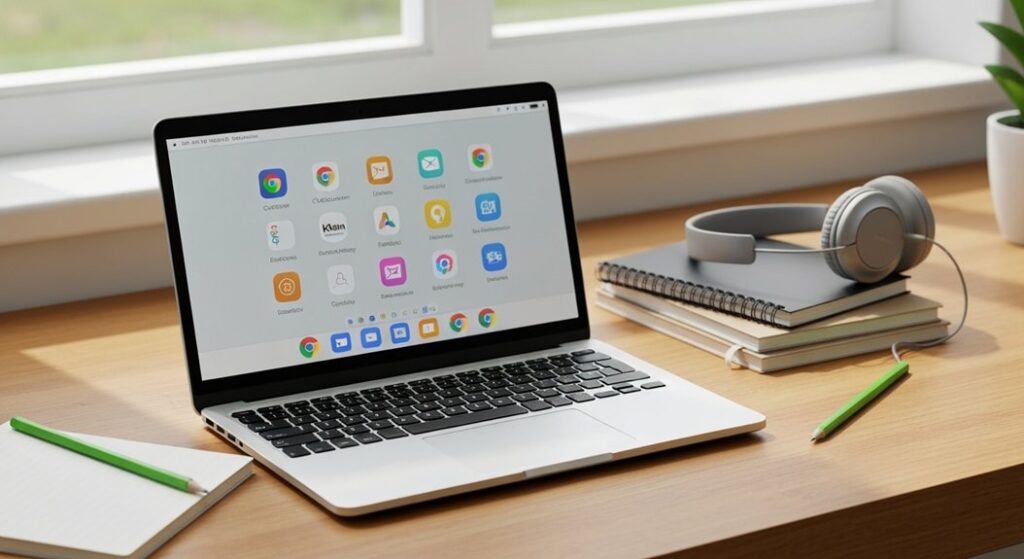
If you’re searching for the best educational apps for Chromebook students, you’ve come to the right place. Chromebooks are popular among students because of their portability, affordability, and seamless integration with Google Workspace.
But the real power of a Chromebook comes from the apps you use. The top educational apps for Chromebook students do more than provide basic learning tools—they help you stay organized, collaborate with classmates, and boost productivity.
With so many apps available, it’s important to choose the ones that truly enhance your learning experience.
In this guide, we’ll explore the top three educational apps for Chromebook students and explain how each can help you study more effectively, manage your schoolwork, and succeed academically.
1. Google Classroom
Google Classroom is one of the most widely used productivity apps for students and teachers alike. It’s designed to simplify assignments, improve communication, and make grading more efficient.
With Google Classroom, students can access all their assignments in one place. Teachers can quickly create and distribute assignments, give instant feedback, and monitor student progress. This app reduces the chaos of managing multiple platforms for classwork, making it easier to stay organized and on top of deadlines.
One of the key benefits of Google Classroom is its seamless integration with Google Workspace apps like Google Docs, Google Slides, and Google Sheets. This allows students to collaborate in real time, share documents effortlessly, and receive comments directly on their work.
For group projects, this integration is especially useful because multiple students can work on the same file simultaneously, keeping everyone on the same page.
Google Classroom also sends notifications for upcoming deadlines, announcements, and teacher feedback, which helps students stay on track and avoid missing important tasks. Whether you’re a middle school, high school, or college student, Google Classroom is a must-have productivity tool that turns your Chromebook into a complete classroom hub.
Tips for using Google Classroom effectively:
Check notifications daily to avoid missing assignments or updates.
Use the “To-Do” list to track upcoming tasks and deadlines.
Collaborate on shared Google Docs or Slides for group projects.
Organize assignments by subject or topic using labels and folders.
2. Khan Academy
Khan Academy is a top-rated app for students who want to learn at their own pace. With thousands of free lessons across subjects like math, science, history, and economics, it’s one of the most comprehensive educational apps available for Chromebooks.
The Khan Academy app provides interactive video tutorials, step-by-step exercises, and personalized progress tracking. Students can test their understanding with quizzes and earn badges for completing lessons, which makes studying both fun and motivating.
One of the standout features of Khan Academy is its adaptive learning technology. The app analyzes your performance on exercises and recommends lessons to focus on areas where you need improvement. This personalized approach ensures that you spend more time mastering concepts you struggle with and less time on topics you’ve already mastered.
Whether you’re preparing for exams, completing homework, or learning for personal enrichment, Khan Academy is a versatile and powerful learning companion. Its offline mode also allows you to download lessons, making it convenient for studying anywhere, even without an internet connection.
Tips for using Khan Academy effectively:
Set aside a daily study schedule to make consistent progress.
Track your mastery scores to see which topics need more focus.
Use the app’s practice exercises to reinforce learning after watching tutorials.
Explore subjects outside school to broaden your knowledge and skills.
3. Quizlet
Quizlet is a productivity app designed for students who want to study smarter, not harder. It uses digital flashcards, interactive games, and quizzes to help students memorize and retain information more effectively.
With Quizlet, you can create your own study sets or access millions of existing sets created by other users. This makes it easy to review any subject, from vocabulary words to math formulas or historical dates. Quizlet’s learning tools include matching games, timed quizzes, and practice tests, which make studying more engaging and interactive.
The app also tracks your progress, showing which topics you’ve mastered and which require more attention. For students preparing for exams or quizzes, Quizlet is an essential tool to reinforce learning efficiently. Its compatibility with Chromebooks ensures smooth access to study materials anytime, anywhere.
Quizlet can also be used collaboratively. You can share study sets with classmates, making it ideal for group study sessions. Teachers often use Quizlet to create study guides or review materials, helping students prepare for tests in a more interactive way.
Tips for using Quizlet effectively:
Break down complex subjects into smaller, manageable flashcard sets.
Use the “Learn” mode for spaced repetition to improve memory retention.
Collaborate with classmates by sharing sets for group study.
Set daily goals in the app to ensure consistent study habits.
Conclusion
Looking for the best educational apps for Chromebook students? Start with Google Classroom to stay organized and connected with your teachers, manage assignments, and collaborate with classmates effortlessly. For self-paced learning, Khan Academy is an essential tool, offering interactive lessons, quizzes, and personalized tracking to help you master any subject. To make studying fun and effective, Quizlet is perfect for creating flashcards, testing your knowledge, and tracking your progress in an engaging way.
By integrating these top educational apps into your Chromebook routine, you can transform your study habits, improve productivity, and make learning more enjoyable. These apps are not just tools—they are essential companions for students who want to get the most out of their education.
Whether you’re tackling homework, preparing for exams, or expanding your knowledge, Google Classroom, Khan Academy, and Quizlet provide the resources and functionality to help you succeed academically. By leveraging the features of these apps, students can create a structured, efficient, and engaging learning experience right from their Chromebook.