

Education
Top 3 best Chromebook apps for students
Gear up to discover the top 3 educational apps every Chromebook student needs—one of these might just change the way you learn forever.


If you’re searching for the best study apps like Quizlet, you’re in luck. There are plenty of fantastic alternatives that help students, professionals, and lifelong learners boost their productivity, memorize important information, and prepare effectively for exams. These study apps offer smart flashcards, adaptive learning features, and interactive tools designed to make studying both efficient and engaging.
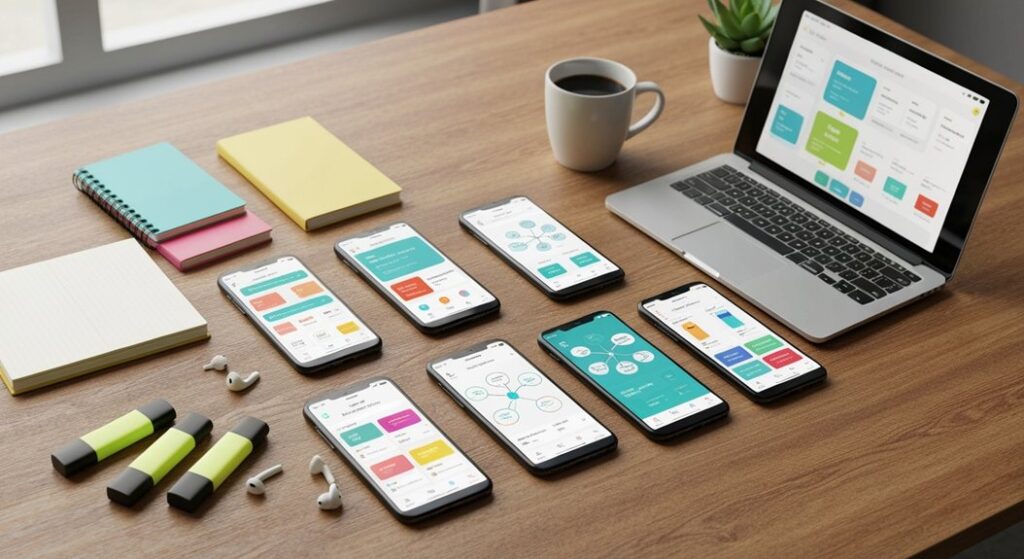
Whether you need an app for quick review sessions, intensive exam prep, or long-term retention of knowledge, these top study apps like Quizlet can transform the way you learn. Let’s explore the best options available and understand why each one is worth trying.
Anki is one of the most powerful study apps available, especially for learners who want to memorize information effectively using spaced repetition. This method ensures that flashcards appear at optimal intervals, helping you retain information for the long term instead of just short-term recall.
With Anki, you can create your own custom flashcards, adding images, audio, and even LaTeX for complex math or science equations. You can also download shared decks created by other users, which cover thousands of subjects—from language learning to medical terminology.
Anki is highly flexible: it works across multiple devices, syncing your flashcards to mobile phones, tablets, and computers. This makes it ideal for students who need to study anytime, anywhere.
Tips for using Anki effectively:
Whether you’re a student preparing for exams or a professional learning new skills, Anki is a top productivity tool that maximizes learning efficiency.
Brainscape is a unique study app that uses adaptive flashcards to help you learn faster. Instead of a fixed repetition schedule, Brainscape allows you to rate your confidence on each flashcard. The app then prioritizes cards you find more challenging, ensuring that your review sessions are personalized and effective.
With Brainscape, you can create your own flashcards or browse thousands of pre-made decks covering a wide variety of topics. This app is particularly useful for students who need targeted revision, as it focuses on reinforcing difficult material until it becomes second nature.
Tips for using Brainscape effectively:
Brainscape is ideal for learners who want a more personalized approach to memorization and are looking for a productivity-focused study tool.
StudySmarter is an all-in-one learning app that goes beyond simple flashcards. It combines digital notes, personalized learning plans, and collaborative study features to provide a complete study experience.
With StudySmarter, you can create flashcards, take digital notes, and track your learning progress over time. You can also access a vast library of user-generated materials for a wide variety of subjects, making it easy to find content tailored to your curriculum or interests.
One of the standout features of StudySmarter is its collaborative functionality. You can share your notes and flashcards with classmates, join active learning communities, and study together even while remote. This makes the app not only effective for individual learning but also for group study sessions.
Tips for using StudySmarter effectively:
For students who want to combine productivity, organization, and collaborative learning in a single platform, StudySmarter is an excellent choice.
Cram is a simple yet highly effective app for students who need to memorize information quickly. With Cram, you can create your own flashcards or browse millions of pre-made sets, making it a versatile tool for various subjects and levels of education.
Cram offers two main study modes: Memorize, which helps reinforce your memory, and Test, which allows you to check your knowledge and simulate exam conditions. This combination ensures that you not only remember information but can also recall it accurately under pressure.
The app also helps you organize flashcards by subject or topic, track your progress, and study anywhere using your mobile device, making it a convenient and practical addition to any study routine.
Tips for using Cram effectively:
For students looking for a fast, straightforward, and efficient flashcard app, Cram is a must-have.
Memrise takes a slightly different approach by combining flashcards with gamified, interactive learning experiences. While it is particularly popular for language learning, Memrise also covers a wide range of subjects, including science, history, and general knowledge.
The app uses spaced repetition and real-world content, including audio and video clips from native speakers or experts, to improve retention and understanding. Gamified features, such as points, streaks, and leaderboards, keep you motivated and make studying more enjoyable.
Tips for using Memrise effectively:
If you’re looking for a study app that combines fun and productivity, Memrise is an excellent choice for learners of all ages.
Looking for the best study apps like Quizlet? These top five alternatives—Anki, Brainscape, StudySmarter, Cram, and Memrise—offer unique tools for effective learning. Each app brings something different to the table, whether it’s advanced spaced repetition, personalized adaptive learning, collaborative features, or gamified study experiences.
Whether you’re preparing for exams, learning a new language, or just trying to improve your memory and knowledge retention, these study apps make learning more efficient, engaging, and enjoyable.
Try a few of these apps today and discover which one fits your study style best. By integrating them into your daily routine, you can boost productivity, retain more information, and achieve better results—faster and smarter than ever before!


Gear up to discover the top 3 educational apps every Chromebook student needs—one of these might just change the way you learn forever.

Power up your study game with these essential productivity apps every college student needs—discover which tools can truly transform your academic routine.

Start your IGCSE revision strong with these five standout study apps—discover which essential tool could unlock your highest exam scores.

Top study plan apps could transform your college experience—discover which ones can boost your grades, but which app tops the list?

Narrowing down the top 3 interactive science apps for middle schoolers isn't easy—discover which ones make learning irresistible in our latest roundup.

Maximize student engagement and curiosity with our top 5 gamified learning apps—discover which platforms could transform your classroom experience next.