The world of video editing is rapidly being transformed by artificial intelligence, and Google’s Gemini models are at the forefront of this shift. It is crucial to distinguish between the core Gemini AI models and the specific Google applications that integrate these models. While Gemini itself is a powerful multimodal AI capable of video understanding (describing, segmenting, and answering questions about video content), the actual video creation and editing tools that use Gemini are primarily found within specialized platforms like Google Vids (a tool within Google Workspace) and the Veo family of video generation models.
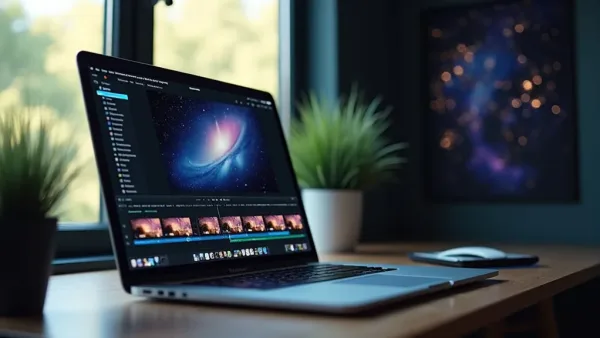
Gemini's AI capabilities mark a major step toward democratizing video creation. (Image: GoWavesApp)
These AI-powered tools are not designed to be a direct replacement for professional, dedicated software like Adobe Premiere Pro or DaVinci Resolve. Instead, they introduce a paradigm shift focused on speed, automation, and accessibility, making complex video creation processes available to general users, students, and business professionals.
Understanding Gemini’s capabilities in the video workflow
The core strength of the Gemini AI lies in its multimodal nature, which allows it to process and comprehend visual and temporal data. This capability is applied across the video creation and editing workflow in several key ways:
Video Understanding and Analysis: Gemini models can analyze existing video files, providing detailed descriptions, extracting information, answering specific questions about the content at given timestamps, and automatically segmenting the footage into logical scenes. This dramatically speeds up the initial phase of any editing project, asset review and organization.
AI-Powered Storyboarding (Google Vids): When integrated into tools like Google Vids, Gemini acts as a generative assistant. Users can provide a simple text prompt and related documents, and Gemini will instantly create a complete, editable video draft, including:
A suggested outline and scene breakdown.
Placeholder media (images, videos, music) from a royalty-free stock library or the user’s Google Drive.
A drafted script and a professional-sounding AI voiceover.
Generative Video Clips (Veo): Using the Veo family of models, which are accessible through paid Gemini tiers (Pro/Ultra), users can generate high-fidelity, short video clips (typically 8-second segments at 720p or 1080p resolution) from text prompts. This completely bypasses the need to search for stock footage for conceptual scenes.
Enhanced Media Generation: Gemini can also generate dynamic visuals from static images (photo-to-video animation) or create AI avatars to present a message, providing fast, consistent, and polished content without the need for physical cameras or coordination.
These capabilities automate the most time-consuming and expertise-dependent parts of video creation, making it a powerful tool for rapid prototyping and content ideation.
Video editing features available in Gemini-powered applications
The practical editing features available to the user are embedded within the applications that leverage the Gemini models, most notably Google Vids. These features focus on simplifying the production process for everyday and corporate use:
Automated Draft Generation: The central feature is the “Help me create” function, which takes a prompt and immediately produces a complete first-draft video, including all basic elements.
Script and Voiceover Generation: Gemini generates suggested scripts per scene and offers a variety of preset professional voiceovers, handling all the audio narration tasks quickly. Users can then edit the script text, and the voiceover will be automatically regenerated.
Basic Timeline Customization: While the process is automated, the resulting video features a fully editable outline. Users can trim clips, merge scenes, add transitions, and swap media placeholders with their own photos or videos from Google Drive/Photos.
In-App Recording Studio: For personalization, Google Vids includes a recording studio with a read-along teleprompter and screen-sharing, allowing users to easily record themselves or their screen and insert the footage directly into the AI-generated timeline.
Style and Design Application: Users can select a design style for the video from a list of templates and designs, applying a consistent aesthetic across all scenes with a single click.
These features are aimed at the vast market of users who need fast, presentational, or social media-ready videos without the complexity of traditional editing software.
Limitations of Gemini for professional video editing
While the AI-powered tools are revolutionary for speed, they impose significant limitations that prevent them from replacing professional, dedicated video editing software for complex or high-end projects:
Lack of Multi-Track Editing: The primary limitation is the absence of a true multi-track or multi-layer timeline. Professional software allows editors to layer dozens of video clips, audio tracks, effects, and graphics simultaneously. Gemini’s approach is sequential and scene-based, making complex overlays, picture-in-picture effects, or fine-tuned audio mixing impossible.
Limited Customization and Controls: Dedicated software offers non-linear editing with frame-level control. Gemini-powered tools lack the depth needed for professional color grading (e.g., color wheels, scopes, LUT support), advanced keyframe animation, or complex visual effects (VFX). The tools are automated for simplicity, sacrificing granular control.
Generative Content Constraints: The powerful Veo video generation feature has practical constraints:
Length Limits: Generated video clips are short (typically 8 seconds). Creating a full scene requires multiple generations and editing them together.
Resolution and Quota: While generating up to 1080p is possible with premium plans, users on Google AI Pro and Ultra plans have limited daily quotas for video generation (e.g., 3 to 5 videos per day), making high-volume generation for a large project impractical.
High-Resolution and RAW Workflow: Professional editors often work with 4K, 6K, or 8K resolution files, or proprietary camera RAW formats. Gemini’s tools are optimized for faster processing of lower-resolution, web-ready formats.
Due to these constraints, professional workflows, such as feature film editing, broadcast commercial production, or documentary filmmaking, remain firmly anchored in traditional software.
Comparing Gemini with dedicated video editing software
The comparison between Gemini (via Google Vids/Veo) and dedicated video editing software centers on the trade-off between Automation/Speed and Control/Depth.
Feature Category
Gemini/Google Vids (AI Focus)
Dedicated Software (e.g., Premiere Pro)
Core Value
Generative creation and rapid prototyping.
Non-linear editing and complete creative control.
Workflow
Prompt-to-Video (AI-driven storyboard and media selection).
Manual timeline arrangement and multi-layer construction.
Color/FX
AI-powered color correction; limited transitions/animations.
Professional color grading, unlimited VFX, custom keyframing.
Audio
AI-generated voiceovers, basic noise reduction.
Multi-track audio mixing, professional audio effects, sound design.
Target User
Business professionals, students, casual social media creators.
Gemini excels at eliminating the empty canvas problem, providing a robust first draft, while dedicated software excels at the finishing problem, providing the tools to perfect every frame and sound cue.
Best Use Cases for Gemini in Video Projects
Gemini’s strengths define its best use cases, positioning it as an unparalleled tool for efficiency and accessibility:
Corporate and Business Communications: Quickly creating internal training videos, product overviews, company announcements, or meeting summaries. The AI can draft the script, add a voiceover, and source relevant stock footage in minutes.
Social Media Content and Vlogging: Generating fast, visually engaging clips for platforms like TikTok, Instagram Reels, or YouTube Shorts, where speed and consistency are often more critical than frame-by-frame perfection. The Veo model is ideal for generating quick, unique B-roll footage.
Educational Content: Creating quick video explanations, tutorials, or presentations by leveraging the AI to structure the content, record voiceovers, and provide supporting media.
Idea Generation and Pre-Visualization (Pre-vis): Rapidly prototyping complex scenes or conceptual ideas using Veo to generate animated clips, allowing creative teams to visualize ideas before committing resources to live-action filming.
Conclusion
Gemini’s AI capabilities mark a major step toward democratizing video creation. It acts as an AI assistant that handles the heavy lifting of storyboarding, media selection, and drafting, making it an invaluable tool for efficiency. However, for any project requiring multi-track editing, complex post-production, or complete creative autonomy, specialized software remains the indispensable industry standard.