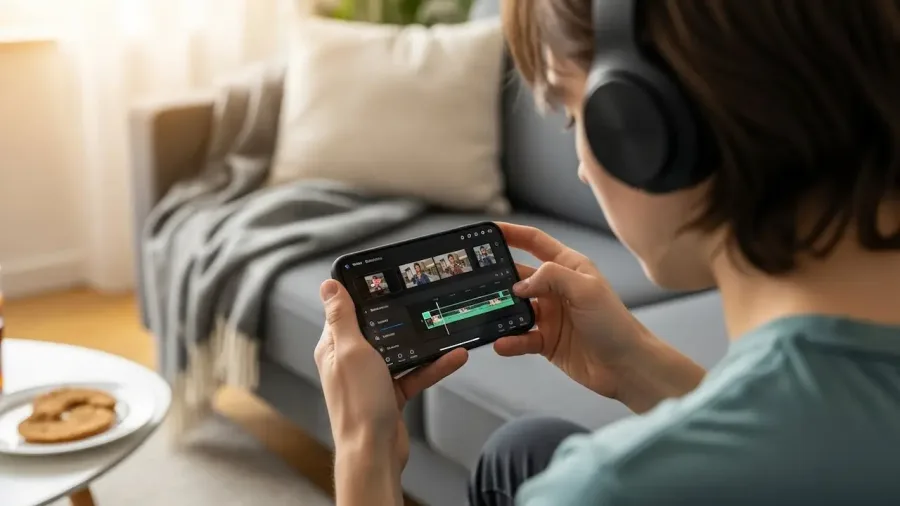
The myth that you need expensive desktop software to create high-quality YouTube content is dead. Thanks to powerful mobile video editing apps, you can now film, edit, and upload professional-grade videos entirely from your smartphone. This guide breaks down how to choose the right mobile app, master essential editing techniques, and optimize your exports for maximum YouTube success.
How to edit Youtube videos on your phone? (image: Gowavesapp)
Phase 1: choosing the right mobile video editor (The 2025 Top Picks)
The first step in learning how to edit YouTube videos on your phone is selecting a powerful and intuitive application that matches your skill level and budget.
1. Free & Beginner-Friendly Powerhouses
App Name
Platform (iOS/Android)
Key Feature for YouTube
Best For
CapCut
Both
Auto Captions (AI-powered text generation) and trending templates.
Social media creators and beginners focused on fast-paced, effects-heavy videos.
iMovie
iOS Only
Simple, clean interface with strong integration into the Apple ecosystem.
Casual users and iPhone/iPad creators who need a reliable, free tool.
InShot
Both
Easy-to-use tools for basic trimming, cutting, and adding aesthetic filters/music.
Vloggers and creators prioritizing simplicity and clean visuals.
2. Paid & Professional-Grade Editors
App Name
Platform (iOS/Android)
Key Feature for YouTube
Best For
LumaFusion
Both
Multi-Track Editing (up to 6 layers), 4K support, and advanced keyframing.
Professionals and creators who need desktop-level precision and control without a subscription.
PowerDirector
Both
Chroma Key (Green Screen), motion tracking, and AI-driven body/face effects.
Prosumers and creators needing advanced features with a user-friendly, multi-track timeline.
Adobe Premiere Rush
Both
Seamless syncing of projects across all devices (mobile, tablet, desktop).
Creators already in the Adobe ecosystem who value cross-device workflow.
Essential features checklist
When choosing an app, ensure it has these non-negotiable features for YouTube editing:
Multi-Track Timeline: The ability to layer video (B-roll), audio, and graphics independently.
High-Resolution Export: Must support 1080p and, ideally, 4K resolution at 30 or 60 frames per second (fps).
Aspect Ratio Flexibility: Easy switching between 16:9 (standard YouTube) and 9:16 (Shorts/Reels).
Phase 2: mastering the mobile editing workflow (the pro method)
Editing YouTube videos on your phone becomes drastically faster when you adopt a structured workflow. The “Primal Video Method” prioritizes large, time-saving cuts before moving to detailed effects.
Step-by-Step editing guide
Import and Organize: Open your chosen app (e.g., CapCut or LumaFusion) and import all clips. Arrange them roughly in order on the timeline.
The “Rough Cut” (Delete the Mistakes First):
Prioritize Removal: Before adding a single effect, music, or text overlay, aggressively trim, cut, and split your A-roll (main talking footage). Remove stutters, long pauses, “ums,” and redundant information.
Efficiency Tip: Never spend time color grading or adding transitions to footage you might delete. Cut first, polish later.
The “Jump Cut” and B-roll Integration: Use fast jump cuts to maintain pacing. Cover the jump cuts (or any visual change) by adding B-roll (secondary footage, screen recordings, photos) on a separate track above your A-roll.
Audio Enhancement: Adjust the volume of your voice track. Use the app’s Audio Cleanup feature (if available) to reduce background noise. Add royalty-free background music on a separate track, ensuring the music volume is significantly lower than your voice (e.g., -15dB below your voice).
Leveraging AI tools for speed
Modern mobile apps leverage AI to automate tedious tasks:
Auto Captions: Apps like CapCut can instantly generate and sync captions for your entire video. This is essential for accessibility and retention.
Background Removal (Chromakey): PowerDirector and CapCut use AI to remove backgrounds without needing a physical green screen, allowing you to instantly place yourself in front of a digital scene or graphic.
Phase 3: shooting and exporting for optimal YouTube quality
Your editing will only ever be as good as your source footage. Furthermore, optimizing your export settings is the final, crucial step before uploading.
1. Shooting high-quality footage on mobile
Rule of Thirds: Always hold your phone horizontally (landscape 16:9) and place your subject slightly off-center for better composition.
Lighting is Key: Mobile cameras struggle in low light. Always shoot in bright, natural light (facing a window, not having the window behind you). Consider a small ring light for talking-head videos.
Stability: Use a tripod or lean your phone against a sturdy object. If hand-holding, use the camera app’s Stabilization feature if your phone offers one.
Audio: Never rely solely on the built-in microphone for talking-head content. Invest in an inexpensive lavalier (lapel) microphone that plugs directly into your phone for vastly superior audio quality.
2. Optimizing export settings for YouTube
The file you export from your mobile editor is the one that determines your final YouTube quality.
Setting
Recommended Value
Why It Matters
Resolution
1080p or 4K
YouTube grants higher-quality codecs to 4K videos, even if your audience watches in 1080p.
Aspect Ratio
16:9
The standard ratio for long-form YouTube videos. Use 9:16 only for Shorts.
Frame Rate
30 fps or 60 fps
Match the original recording frame rate for seamless playback.
Codec/Format
H.264 (MP4)
The industry standard for YouTube compatibility and efficiency.
Bitrate
High/Best Quality
If your app allows manual control, choose a higher bitrate for maximum visual quality.
3. Managing storage and upload
Storage Check: Video files are large. Before starting a project, ensure you have at least 10GB of free space for the temporary project file and the final export.
Direct Upload: Most mobile editors, like CapCut and PowerDirector, allow you to upload directly to YouTube. Always review your finished video once more after export, then upload it while connected to Wi-Fi for the fastest and most stable transfer.
By following these professional workflows and leveraging the best mobile apps available today, you can maintain a consistent upload schedule, enhance your channel’s production value, and grow your audience—all from the palm of your hand.