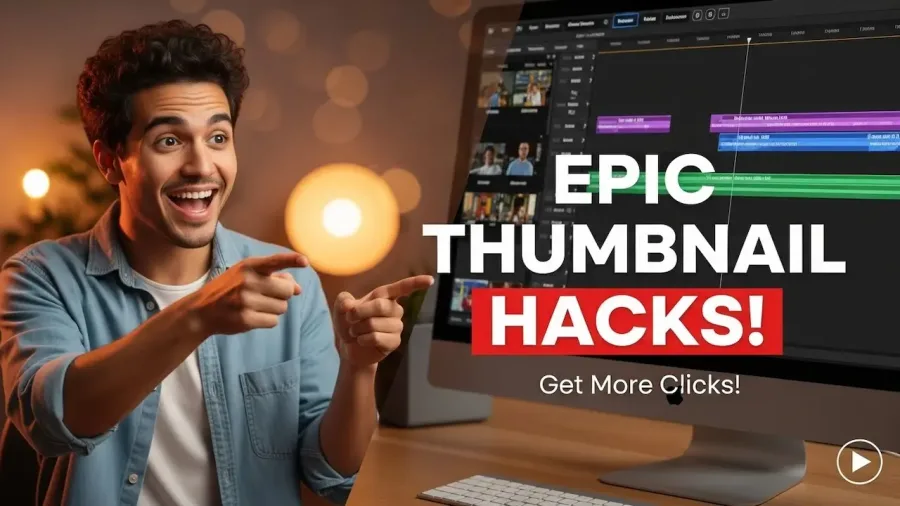
Optimizing your YouTube thumbnails is the single most important factor for increasing your video’s Click-Through Rate (CTR), which YouTube’s algorithm heavily rewards. The goal is to make your thumbnail an irresistible, branded billboard that is perfectly legible, especially on a mobile screen.
Your existing points are excellent, and I’ll expand them into a complete 2025 checklist, incorporating the latest technical specifications and design psychology confirmed by industry leaders.
Phase 1: technical specifications (the foundation)
Before design begins, ensure your image meets the essential YouTube requirements for quality and loading speed.
Specification
Recommended Value
Notes
Resolution
1280 x 720 pixels
This is the official size. Designing larger (e.g., 1920×1080) is acceptable if you keep the file size down, as it uses the same 16:9 ratio.
Aspect Ratio
16:9
Standard video playback ratio. Critical for preventing awkward cropping.
File Format
JPG or PNG
PNG is often preferred for sharpness, especially with text and graphics.
Max File Size
Under 2MB
Crucial for loading speed. Larger files can be compressed or may not display correctly, especially on slow mobile connections.
Mobile Legibility
Test on a phone!
Over 70% of views are mobile. If your text is small or blurry on a smartphone, your thumbnail is failing.
Phase 2: design psychology to command attention
These design tricks focus on leveraging human psychology to ensure your thumbnail wins the click competition against hundreds of other videos.
1. Maximize color and contrast
Goal: Stand out against the YouTube interface (white/dark gray).
Strategy: Use bright, highly saturated colors (e.g., neon yellow, vibrant cyan, electric green). Pair complementary or opposite colors (like orange and blue) for extreme contrast.
Avoid: Using red, white, or black as your main background color, as they blend into the YouTube logo, progress bar, or dark/light mode background.
2. Feature expressive faces and emotion
Goal: Create instant connection and a “curiosity gap.”
Strategy: Include a high-quality, close-up shot of a face—preferably your own—showing a strong, clear emotion (shock, excitement, frustration, confusion). This is highly effective for building personal brand recognition and generating clicks.
Pro Tip: Use arrows, circles, or exaggerated effects (like lens flare) pointing to the face or a key object to draw the eye instantly.
3. Use bold, read-at-a-glance text
Goal: Deliver the video’s core benefit or punchline in one second.
Strategy:
Limit Text: Use 3 to 5 powerful words maximum. Let the video title handle the rest of the information.
Font: Choose large, extremely bold, sans-serif fonts (like Impact or Bebas Neue).
Contrast: Place the text inside a solid, contrasting background shape, or use a thick, contrasting outline (e.g., yellow text with a heavy black outline) to make it pop off the image.
4. Keep the design simple and focused (Rule of One)
Goal: Avoid clutter and confusion.
Strategy: Your thumbnail should have one clear focal point. That could be a face, the main object of the video (e.g., the app logo, the mobile tool you’re reviewing), or the headline text. Everything else should be secondary.
Avoid: Photo collages, putting important text too close to the corners or the bottom-right corner (where the video length is overlaid).
5. The strategic use of negative space and cropping
Many creators make the mistake of trying to fill every pixel with information, which makes the thumbnail visually noisy and less impactful on mobile.
Negative Space: Use empty, often solid-colored space strategically. This “negative space” is not wasted; it forces the viewer’s attention onto your main subject (your face or the text). A clean background allows your text and image to “breathe” and stand out more clearly in the crowded search results.
Aggressive Cropping: Don’t be afraid to aggressively zoom in on your face or the main product. A highly cropped face showing extreme emotion is often more effective than a full-body shot. This maximizes the visual footprint of your most important elements, ensuring they are recognizable even as a tiny icon on a smartphone.
Phase 3: branding and optimization (the long game)
These steps ensure your CTR growth is sustainable and helps you build a loyal audience that recognizes your content instantly.
6. Add branding elements consistently
Goal: Build instant channel recognition and trust.
Strategy: Incorporate your channel logo, signature colors, or a specific design element (like a custom text banner) in the exact same spot on every single thumbnail. This creates a cohesive channel look that separates you from generic content.
Placement: Place the logo where it doesn’t cover the main subject, such as the top-left or top-right corner.
7. Test and analyze thumbnail performance (the algorithm nooster)
The best thumbnail is determined by data, not guesswork.
Metric Focus: Monitor the Click-Through Rate (CTR), especially in the first 24 hours from Home and Suggested traffic. High CTR here signals strong audience interest to YouTube.
A/B Testing: Actively use a third-party tool (like TubeBuddy or VidIQ) to run true A/B tests on your new videos. Test one element at a time (e.g., text vs. no text, blue background vs. red background) to identify exactly what works for your unique audience.
Update Old Videos: If an older video is performing poorly but still has good watch time, change the thumbnail and track its performance for the next 30 days. This can revive “dead” content and boost your overall channel views.
8. The “Before and After” Study Case
One of the most compelling and high-converting thumbnail formulas, particularly for instructional or review content (like app reviews or tutorials), is the “Before and After” or “Problem/Solution” setup.
Strategy: Divide your thumbnail into two distinct sections (often vertically or horizontally). The left side depicts the “Problem”—a blurred image, a low number, or an expression of frustration. The right side depicts the “Solution”—a crisp image, a high success number (e.g., “$1000”), or an expression of excitement.
Example: For an app review, show a confusing, outdated version of the app on the left (Before) and the new, sleek version on the right (After). This instantly communicates the value proposition of the video and generates massive curiosity, leading to higher CTRs than simple text alone. This technique is highly visual and transcends language barriers, making your content universally appealing.
By rigorously following these technical and psychological best practices, your thumbnails will be optimized to generate the maximum number of clicks, propelling your content forward in the competitive YouTube ecosystem.