Getting more views on YouTube today is a game of two key metrics: Click-Through Rate (CTR) and Audience Retention (AR). The YouTube algorithm operates on the principle of viewer satisfaction; if your video gets clicked often and keeps people watching longer, the algorithm promotes it relentlessly.
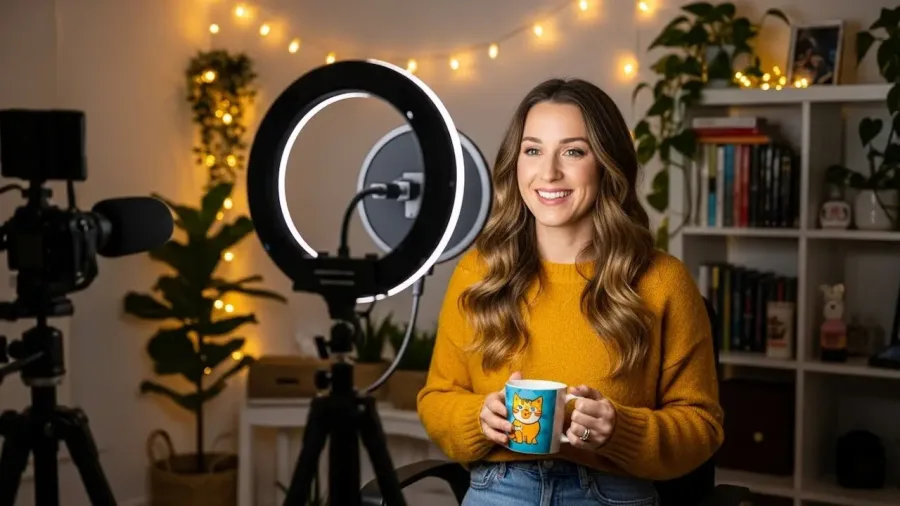
How to optimize Youtube videos for more views (image: Gowavesapp)
This checklist provides a four-phase, high-impact strategy to optimize your content, especially for competitive niches like app reviews and mobile tools.
Phase 1: The Click Factor (CTR Optimization)
Your thumbnail and title are your video’s advertisement. The goal is to maximize the percentage of people who click your video when YouTube shows it to them.
1. Master the Thumbnail (The Visual Hook)
Tactic
Why It Works
Actionable Step for App Reviews
Clear Focal Point
Avoids visual clutter, forcing the viewer’s eye to the main subject.
Feature a close-up, expressive face (of you) reacting to the app, or a clean, highly cropped image of the app’s key benefit.
High Contrast & Readability
63% of watch time is on mobile, where thumbnails are tiny.
Use bold, sans-serif fonts (max 5 words) with thick, contrasting outlines. Avoid putting key elements in the bottom-right (where the time stamp covers them).
Consistent Branding
Builds channel recognition and viewer trust.
Use the same color scheme, font, and logo placement in every thumbnail to make your channel instantly recognizable.
2. Craft Attention-Grabbing Titles (The Text Hook)
Tactic
Why It Works
Actionable Step for App Reviews
Front-Load Keywords
Helps the algorithm categorize the video immediately and rank in search.
Put your main keyword (e.g., “Best Productivity App”) in the first 60 characters.
Inject Curiosity/Urgency
Encourages the click by promising an unexpected result or a high-value secret.
Use words like “Secret,” “Mistake,” “Ultimate,” or numbers. Example: “5 Mistakes with [App Name] You Must Fix.”
Use Numbers and Parentheses
Numbers and brackets/parentheses stand out visually in a wall of text.
Add the current year (2025 Update) or a list count (e.g., [Top 3 Picks]) to signal freshness and clarity.
Phase 2: the retention factor (AR Optimization)
Once a viewer clicks, their behavior dictates whether YouTube recommends your video further. Your Audience Retention rate is the single most important long-term growth metric.
3. Create an irresistible hook (First 30 Seconds)
Tactic
Why It Works
Actionable Step for App Reviews
Eliminate Fluff
Viewers leave if the video doesn’t immediately deliver on the thumbnail/title promise.
Cut your introduction to 5-10 seconds maximum. Start with the climax, a shocking result, or a quick promise: “By the end of this video, you will know the best entertainment app to replace Netflix.”
Dynamic Pacing
Fast editing keeps the viewer’s mind engaged and prevents boredom.
Use jump cuts, zoom-ins, and B-roll footage (screen recordings of the app) constantly. Never let a talking head shot run for more than 10 seconds without a visual change.
Optimal Length
Videos between 7 and 15 minutes tend to perform well for monetization and retention.
Aim for the length required to cover the topic comprehensively, but trim all the fat. A 6-minute video with 70% retention beats a 12-minute video with 30% retention every time.
4. Optimize content structure for watch time
Tactic
Why It Works
Actionable Step for App Reviews
Add Timestamps/Chapters
Allows the viewer to quickly navigate to the most relevant section, improving satisfaction and SEO.
Add time-stamped chapters in the description. Example: 0:00 Intro, 1:45 Hidden Feature 1, 4:05 Verdict.
Use Info Cards
Creates a non-intrusive way to keep the viewer on your channel.
Use Cards to link to an older, related app review (e.g., a competitor app) at the moment you mention it.
Strategic Mid-Roll Ads
For videos over 8 minutes, strategically placed mid-roll ads (manually set, not auto) can maximize revenue without severely hurting retention.
Place ads at natural breaks, like before a final conclusion or before the review’s verdict.
Phase 3: the discovery factor (SEO Optimization)
This phase ensures the algorithm understands exactly what your video is, so it can be served in Search and Suggested results.
5. Use relevant keywords in your video details
Tactic
Why It Works
Actionable Step for App Reviews
Description Optimization
Provides context and long-tail keyword data to the algorithm.
Write a 200-250 word summary. Place keywords like “productivity apps” and “mobile tools” naturally throughout. Use the description limit (5,000 characters).
Strategic Tagging
Helps categorize the video, grouping it with similar content.
Use a mix of: 1) Specific (e.g., “Evernote 2025 review”), 2) Broad (e.g., “productivity app”), and 3) Misspellings or variations.
Captions and Transcripts
Text data from captions is indexed by YouTube’s search engine.
Upload accurate captions (SRT file) or clean up the auto-generated captions. This is an SEO cheat code and a huge accessibility win.
Phase 4: the binge factor (channel optimization)
These final steps maximize the total amount of time a viewer spends on your channel, which boosts your overall channel authority.
6. Optimize playlists and end screens
Playlists for Binge-Watching: Group your app reviews by theme (e.g., “Best Entertainment Apps,” “Mobile Budgeting Tools”). A viewer finishing one video is immediately fed the next one, maximizing session time.
End Screens: Dedicate the final 5-20 seconds to linking your best-performing videos, a relevant playlist, and the subscribe button. This is crucial for converting a single viewer into a session viewer.
7. Encourage viewer interaction and subscriptions
Engage the Community: Viewers return to your video when you reply to their comments. Ask specific questions (e.g., “What feature should this app add next?”).
Subscriptions as a Signal: A subscription is the strongest signal of viewer satisfaction. Remind viewers to subscribe at your video’s peak value moment (e.g., just after delivering the final verdict on an app).
Cross-Promotion: Create YouTube Shorts (9:16 vertical format) that repurpose short, punchy clips from your long-form app reviews. Shorts drive massive channel traffic and subscriber growth.
By rigorously applying this checklist and prioritizing CTR and Audience Retention, your app review videos will meet the algorithm’s requirements for success, leading to consistent and sustainable view growth.