

Photo editor
What Is Snapseed?
Powerful and packed with features, Snapseed promises to transform your mobile photos—discover why it’s not your average editing app.


If you’re searching for a powerful and versatile app to organize, edit, and enhance your photos, Adobe Lightroom stands out as one of the best options available in the world of mobile and desktop photography.
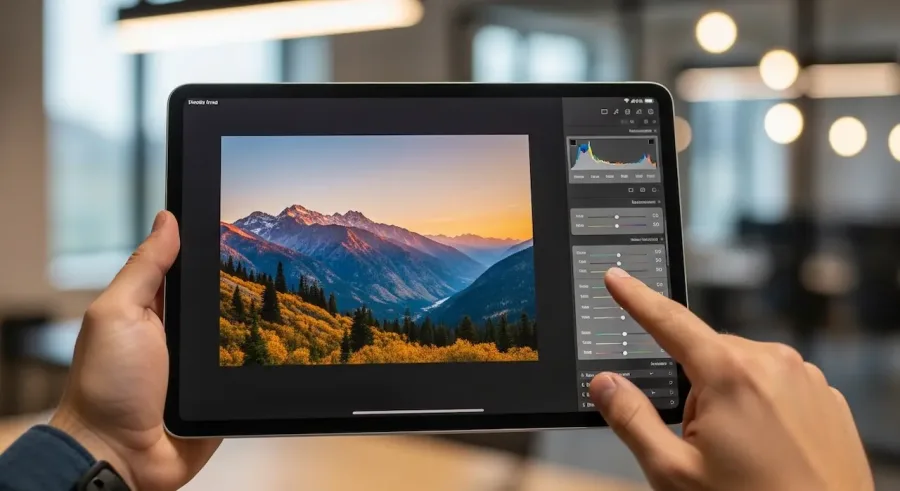
Unlike many basic photo editing apps, Adobe Lightroom combines advanced editing tools, intelligent organizational features, and seamless cloud integration, making it an essential part of any photographer’s digital workflow — whether you’re a beginner, enthusiast, or professional.
Adobe Lightroom allows you to manage your photo library with ease, apply professional-level adjustments, and store everything securely in the cloud. The app’s interface is clean and intuitive, which means even beginners can start improving their photos instantly.
At the same time, Lightroom includes advanced tools that experienced photographers value, such as selective adjustments, RAW editing, and AI-powered features.
One of the greatest advantages of Adobe Lightroom is how it enables you to experiment creatively without fear. Thanks to its non-destructive editing system, you can try multiple styles, filters, and adjustments without ever altering the original image. This makes Lightroom an ideal option for users who want both flexibility and precision.
Photography enthusiasts, influencers, and app reviewers consistently highlight Adobe Lightroom as a must-have productivity app — not only because it boosts creativity, but also because it makes photo management faster, simpler, and more efficient across all devices.
Adobe Lightroom is packed with features that help you take your photos to the next level. Its easy-to-use interface is designed for fast editing while still giving you access to powerful tools typically found in professional desktop software.
With intuitive sliders, you can quickly adjust exposure, contrast, highlights, shadows, whites, blacks, color temperature, and saturation. Lightroom also offers creative presets that transform your images instantly — perfect for users who want beautiful results without spending too much time editing. Many content creators rely on Lightroom presets to maintain a consistent aesthetic across their social media feeds.
More advanced features include spot removal, which helps eliminate unwanted objects or imperfections; graduated filters for balanced skies and backgrounds; lens correction tools; and AI-powered enhancements that automatically improve lighting and colors.
A major highlight of Adobe Lightroom is its seamless cross-device workflow. Whether you’re editing on your phone, tablet, or desktop, everything syncs automatically. This makes Lightroom an essential productivity tool for anyone who relies on fast editing, constant travel, or multi-device accessibility.
Lightroom is also one of the most effective photo organization apps available today — a crucial advantage for users who take hundreds or thousands of pictures.
With Lightroom, you can organize your images using albums, folders, and collections, making it easy to keep personal, professional, or creative projects neatly separated. Adding keywords, tags, star ratings, or color labels helps categorize your photos further and prioritize your best shots.
The app includes powerful search and filtering tools, allowing you to find specific photos instantly, even if your library contains thousands of images. You can search by camera model, lens, location, date, file type, or even by objects detected automatically through AI.
For users who need productivity on the go, Lightroom’s organizational structure simplifies workflows and keeps large image libraries tidy, accessible, and easy to browse at any time.
Lightroom provides a full suite of editing tools, making it one of the top productivity apps for mobile photo editing. You can adjust exposure, contrast, highlights, shadows, white balance, and clarity with simple sliders, even if you have no prior editing experience.
For more advanced users, Lightroom includes tools like color grading, texture and clarity adjustments, noise reduction, curves, and HSL color controls — all commonly used in professional editing.
Selective editing tools allow you to brighten subjects, darken backgrounds, enhance skies, or modify specific areas of your photo with precision. Spot removal helps clean up imperfections, while the crop and alignment tools help you perfect composition.
These advanced capabilities make Lightroom a complete editing solution right from your mobile device — and a favorite among photographers who value both creativity and efficiency.
One of Lightroom’s strongest advantages is its non-destructive editing workflow. This means that every change you make to a photo is saved as a separate instruction layer, leaving your original image fully intact.
This workflow allows you to experiment freely with different styles, color tones, and creative effects without worrying about damaging your original files. If you ever change your mind, you can undo edits instantly or return to the original version with just one tap.
This makes Lightroom a secure, flexible, and beginner-friendly app — ideal for users who want to grow their editing skills over time.
Lightroom shines when it comes to cloud integration, making it perfect for users who work across multiple devices. Your photos and edits sync automatically across your smartphone, tablet, and computer, ensuring you always have the latest version of your work.
This feature is especially helpful for travelers, content creators, and professionals who need fast access to their portfolios. You can start editing a photo on your phone and finish it later on your desktop — or vice versa — without losing any progress.
Cloud integration also ensures your images are backed up safely, preventing accidental loss in case your device is damaged or full.
Whether you’re new to photo editing or an experienced photographer, Lightroom adapts to your skill level. Beginners enjoy the simple sliders, guided tutorials, and ready-made presets, while professionals take advantage of RAW editing, batch processing, and advanced adjustment tools.
Its versatility makes Lightroom one of the top apps for boosting creativity and productivity in mobile photography. No matter your goals, Lightroom offers everything you need to edit photos confidently and consistently.
Adobe Lightroom is a powerful and intuitive photo editing app designed to simplify the way you organize, edit, and store your images. With its non-destructive editing system, cloud integration, and range of professional tools, Lightroom offers unmatched flexibility and control.
Whether you’re a beginner experimenting with mobile photography or a professional managing large photo collections, Adobe Lightroom enhances your creative workflow and helps you produce stunning images every time.
If you’re looking for a reliable, feature-rich, and user-friendly app to elevate your photography, Adobe Lightroom is an essential addition to your digital toolkit.


José Lucas is a technology researcher and app specialist dedicated to exploring the intersection of digital innovation and everyday life. He focuses on discovering tools that enhance productivity and entertainment, providing clear, hands-on insights for the modern user. At GoWavesAPP, José’s mission is to guide readers through the vast world of mobile applications, helping them find the most efficient and reliable solutions to enrich their digital journey.
Powerful and packed with features, Snapseed promises to transform your mobile photos—discover why it’s not your average editing app.

Take control of your memories with Google Photos—discover the must-know features that make photo management effortless, but have you tried these hidden tricks?

Curious if the Canva app is truly free or just a clever tease for upgrades? Discover what you might be missing inside.

Beneath Canva's simple surface lies a powerful design tool—discover why everyone from students to marketers can't stop talking about this app.

Wondering if Adobe Lightroom is truly free or if hidden costs await you? Discover what’s included before you commit.

Curious about the best free photo editor app? Compare top picks and discover which one could transform your photos—find out which stands above the rest.